Effects and live items#
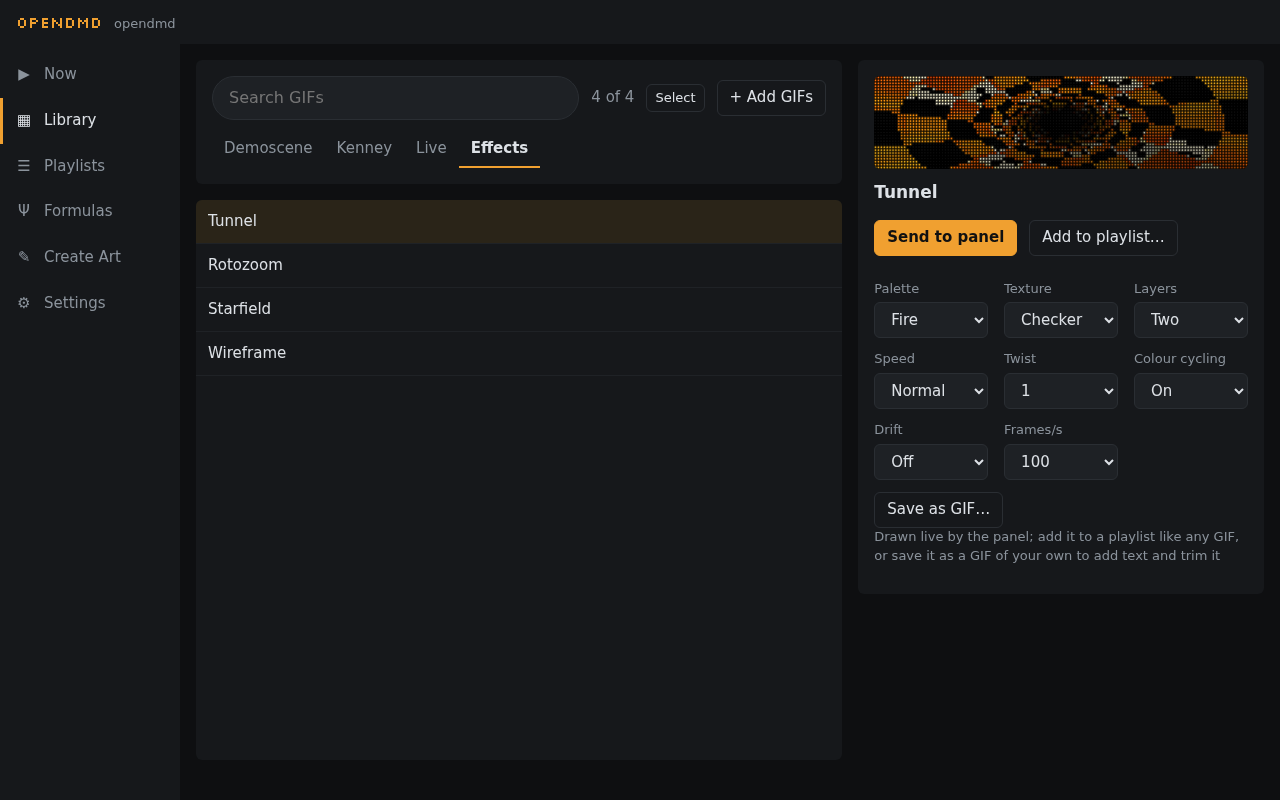
Besides your GIFs, the panel can draw a few things by itself. Find them in the Library in the Live and Effects folders. Preview them, send them to the panel, or add them to any playlist, just like a GIF.
Live#
- Clock: the time, in one of four layouts, with the date and seconds if you want them. The player keeps its own time over the internet; set your time zone in Settings → Schedule → Time.
- Scrolling text: type a message ("Game over", "Insert coin") and choose its font, colour and speed.
Effects#
Classic demo-scene and 16-bit style animations, drawn live:
- Tunnel: a spinning time-warp tunnel.
- Rotozoom: Mode 7 style turning, zooming patterns, or a floor rushing to the horizon.
- Starfield: flying through stars, as warp streaks or dots.
- Wireframe: spinning 3D shapes, from a cube to a shape-shifting torus.
Each has a few options beside its preview, such as colour palette, texture and speed.
Make it a GIF#
Found a look you like? Press Save as GIF… under the effect's options. Create Art opens with one loop of the effect drawn as an animation, with a title already filled in from your choices, like "Tunnel Fire Rings". From there it's like any other animation: add some text, trim it, change the speed, then save it to your card. The GIF lands in the Library (under Demoscene, unless you pick another category) and plays like the rest of your GIFs.
The effect stays in the Effects folder too, so you can keep adding the live version to playlists. A long, slow effect becomes the first ten seconds or so of its loop; pick a faster speed first if you want the whole loop.
Want to make your own? Formulas, in the menu, are effects you write yourself in a few lines.
Colour and glow#
Two settings change the look of everything the panel shows, GIFs included. Find them in Settings → Look:
- Colour: full colour, or a single colour like a classic pinball display: amber, red, green, blue or white.
- Phosphor glow: dots fade out gently instead of switching off, like an old plasma display. Short or Long, or Off.